Scribble: A Note-Taking App That Lives in the Terminal
A Rust TUI for Obsidian-style Markdown vaults — instant startup, real vim operators, one palette for finding anything, and a storage layer that refuses to overwrite work it didn't write.
I write notes in the terminal, and for a long time I did it with a folder full of Markdown files and no app at all. That works right up until the folder has enough in it that finding the note you want is the actual problem.
So I built Scribble — a note-taking app that runs in your terminal, reads and writes plain Markdown, and opens fast enough that it’s never the reason you didn’t write something down. It’s written in Rust, it’s MIT licensed, and it’s up at github.com/Smoke516/scribble.
Plain files, no lock-in
The most important decision in Scribble isn’t a feature. It’s that your notes are just Markdown files in a folder, with YAML frontmatter on top — the same layout Obsidian uses. Point Scribble at an existing Obsidian vault and it reads it. Point Obsidian at a Scribble vault and it reads it back.
Nothing is in a database. Nothing is in a proprietary format. If Scribble vanished tomorrow you’d still have a directory full of .md files you can open in anything — and that’s the whole point. My vault lives in Nextcloud and syncs across machines without Scribble knowing or caring.
I retired the one feature that would have compromised this. Scribble used to have wiki links and a backlinks panel; after months of use I had written exactly zero links, so I deleted the whole subsystem — about 600 lines. Features you don’t use aren’t free. They cost you every time you maintain them.
The landing page
Open Scribble with no arguments and this is what you get:
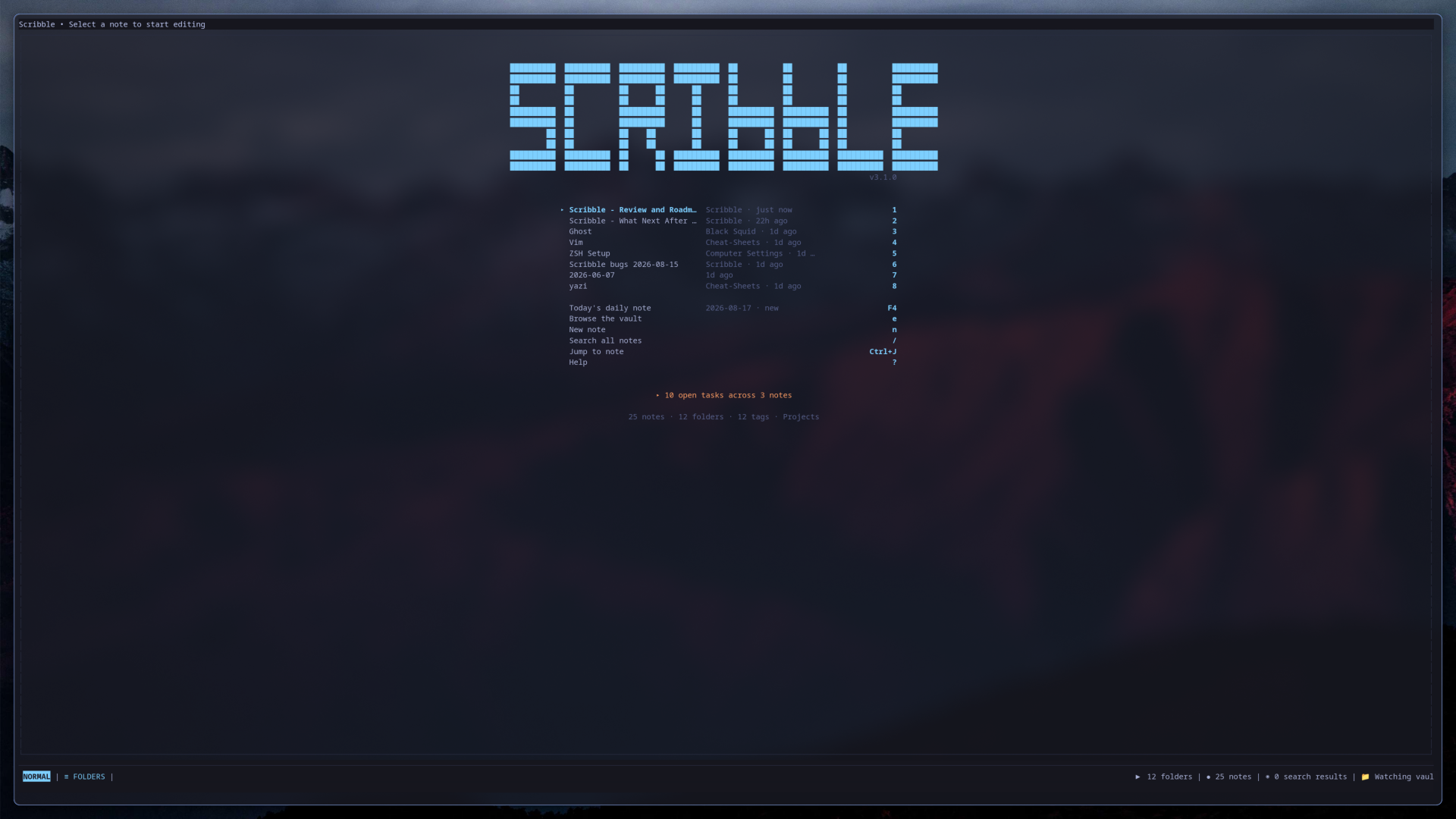
Recent notes numbered 1–8 so you can jump straight in with one keystroke, today’s daily note on F4, and a count of every unfinished task in the vault. It tells me I have 10 open tasks across 3 notes without my having to go looking.
Startup is instant. I measured it at 0.00 seconds — below the resolution of the timer. That sounds like a vanity metric, but for a capture tool it’s the entire ballgame. An app that takes two seconds to launch is an app you don’t bother opening when you’ve got a thought you’ll lose in ten.
One door for finding things
Scribble grew six different finders over time — quick jump, search, recent files, tags, the outline and the explorer. All useful, all behind a different chord, and remembering which was which became its own small tax.
So I put a command palette in front of all of them. Ctrl+P opens one ranked list that searches notes, tags, headings and commands together:
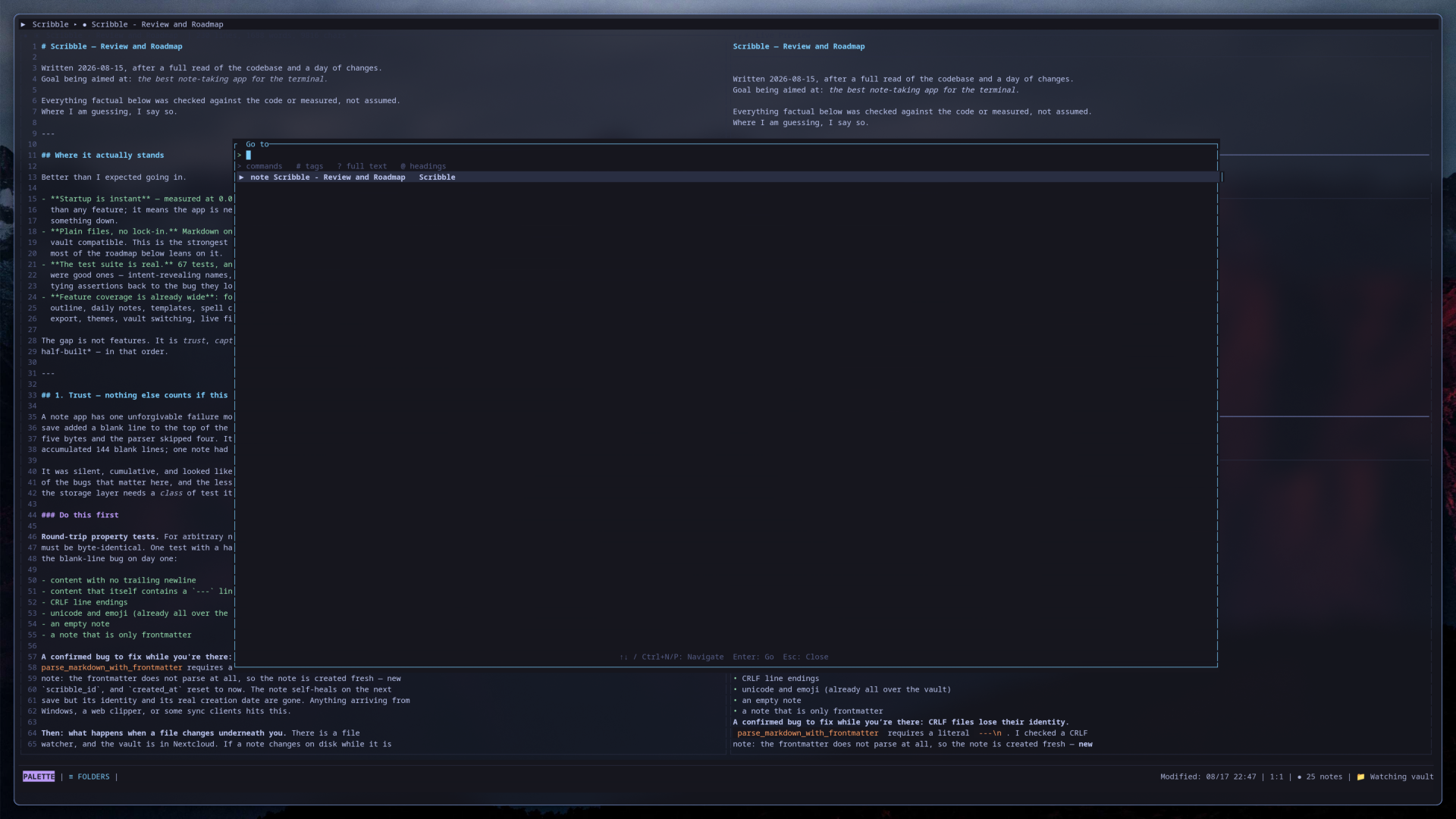
Type to filter everything at once, or scope it with a prefix: # for tags, ? for full text, @ for headings, > for commands. The six original finders all still work on their own chords — the palette sits in front of them, it didn’t replace them. If you’ve built the muscle memory, you keep it.
Browsing the vault
When you’d rather see the shape of things than search for them, Ctrl+E opens the explorer:
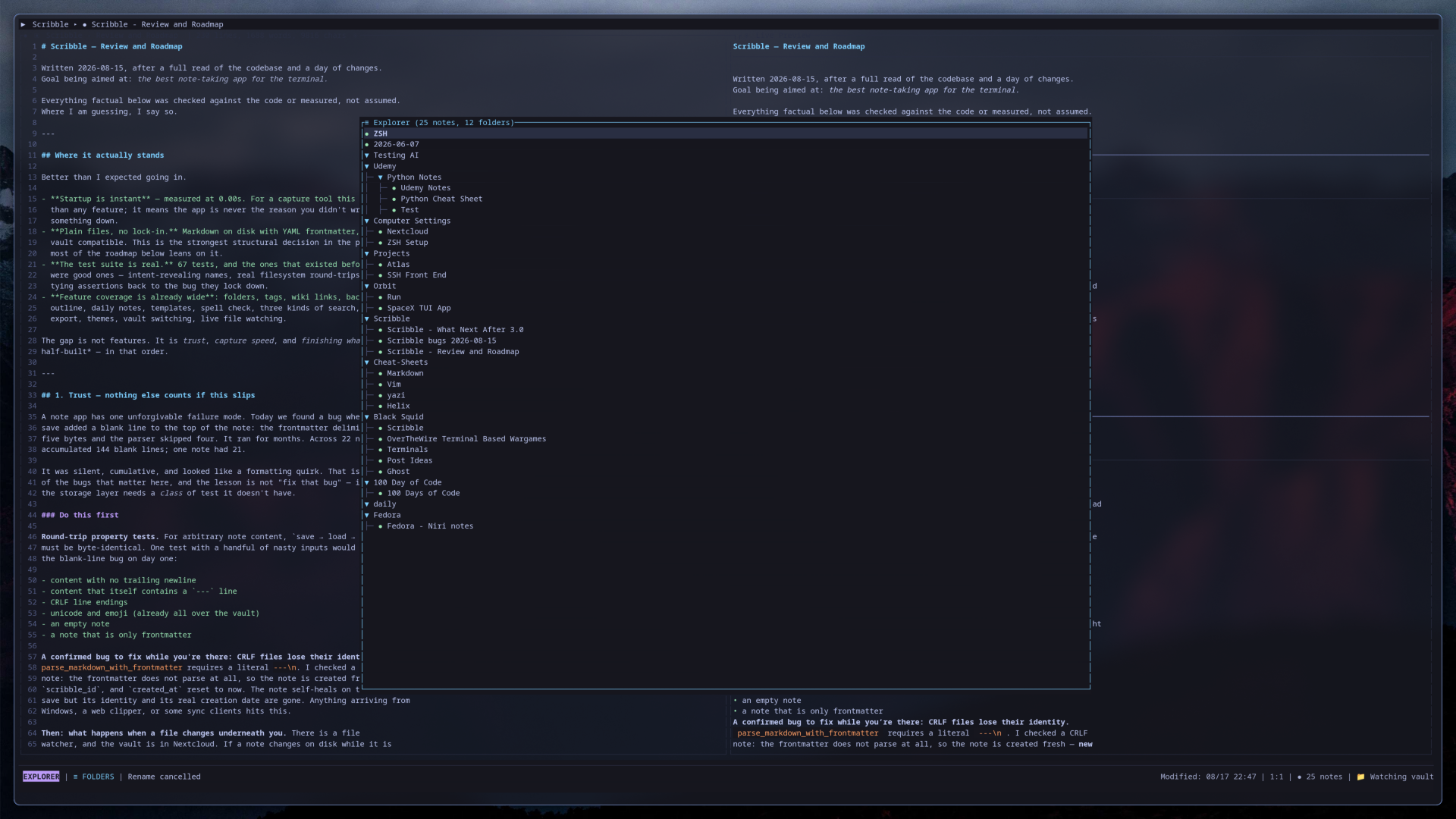
Folders, nesting, and every note in the vault. You can rename with r, move notes between folders, and create new ones without leaving the tree.
Editing that composes
The editor has real vim operators — not a handful of hardcoded shortcuts, but d, c and y composing properly with motions, text objects and counts. dw, ciw, caw, 3dd, d$ and yy all do what you’d expect, and there’s a visual mode on v. (Text objects are word-scoped for now — iw and aw; brackets and quotes aren’t there yet.)
That said, I want to be honest about the ceiling here: Helix and Neovim have a fifteen-year head start on text editing, and I’m not going to close that gap in a note app. So Scribble doesn’t try. Press e on any note and it hands the real vault file off to whatever $EDITOR you use, frontmatter and all. Edit it there, come back, and Scribble picks up the change.
That one key is why I can stop building editor features. Scribble’s job is to be the vault — the finding, the organising, the capturing, the not-losing-things. Editing is a commodity, and I’d rather delegate it than reimplement it badly.
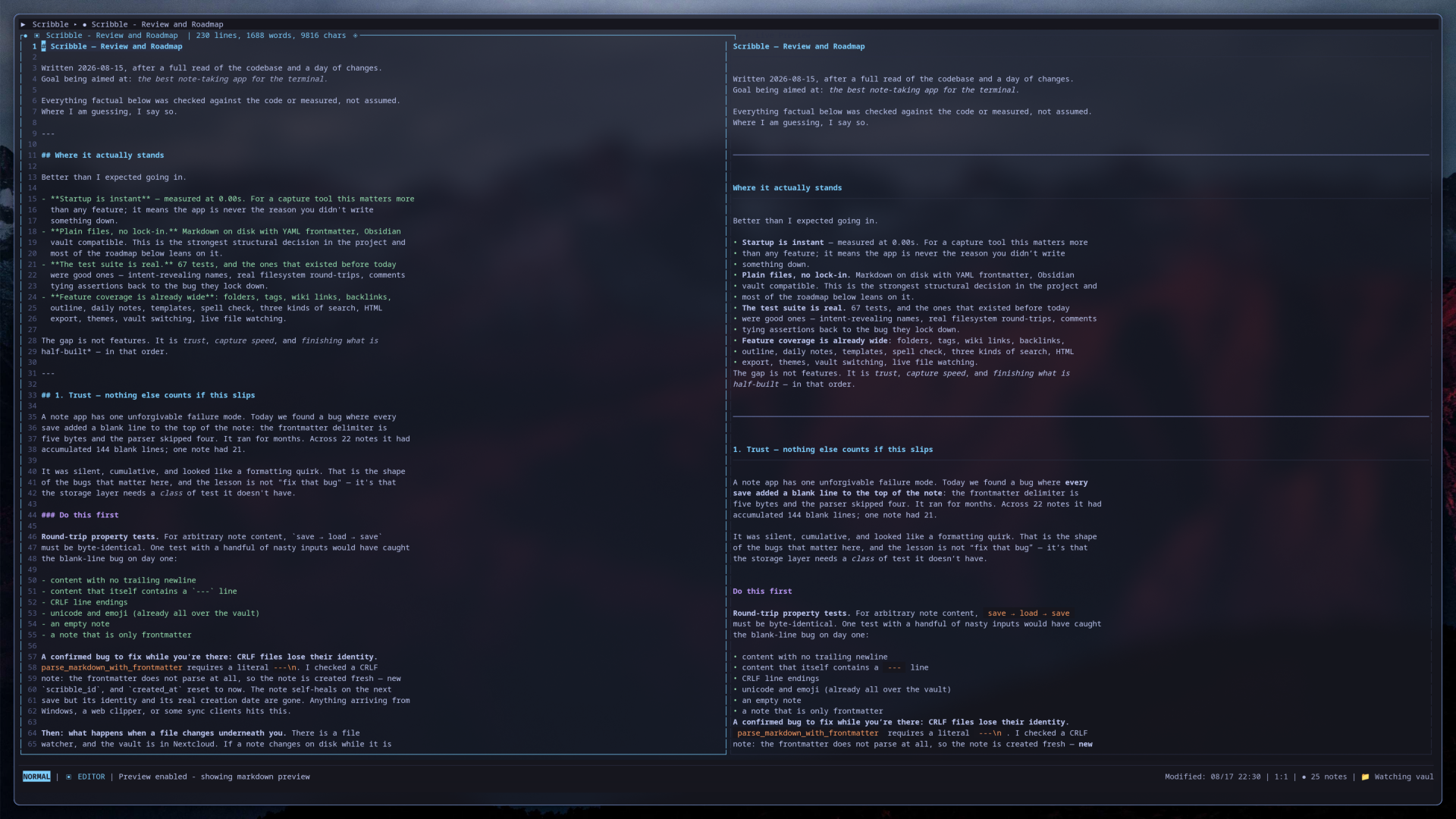
F2 toggles the live Markdown preview you can see in the first screenshot — the rendered version updates as you type, in a split beside the source.
Capture from the shell
Half of note-taking is getting a thought into the vault before it evaporates. You don’t always want to open an app for that:
# a new note, straight into the vault
scribble -n "check whether the blur protocol landed in 1.4"

# append a line to today's daily note
scribble -t "meeting moved to Thursday"

# or pipe something in
git log -1 --oneline | scribble -n
Each of these writes to the vault, prints the path it wrote to, and exits — no TUI, no window, no context switch. Run scribble -t on its own with no text and it opens the app on today’s note instead, which is the same idea from the other direction.
It will not eat your notes
This is the part I’ve spent the most time on, and it’s the least visible.
A note app has one unforgivable failure mode: silently damaging your writing. Scribble had exactly that bug, and it ran for months before I caught it. Every single save was adding a blank line to the top of the note — the frontmatter delimiter is five bytes and the parser was reading four. Across 22 notes it had quietly stacked up 144 blank lines. One note had 21 of them.
Nothing crashed. Nothing errored. It just looked like a formatting quirk until I read the code.
That bug is why the storage layer now works the way it does:
- Atomic writes, so an interrupted save can’t leave you with half a note.
- Content-hash stamps, so Scribble never overwrites a file it can’t account for. If something changed on disk that Scribble didn’t write, it knows.
- Crash-safe autosave — your work goes to disk continuously, not on exit.
- Conflict resolution built in. My vault is in Nextcloud, and sync clients produce
(conflicted copy)files. Scribble detects them, shows you a real diff, and lets you keep yours, keep theirs, or keep both — then cleans up the artefact. Syncthing’s equivalents are handled too.
And it’s backed by tests — 234 of them. The ones that matter most run against a real filesystem rather than a mock, and they’re named for what they’re protecting: writes_are_atomic_and_leave_no_temp_files, a_file_we_have_never_read_is_not_overwritten, an_external_change_is_preserved_before_we_write, save_load_round_trip_does_not_grow_the_note. That last one is the blank-line bug, pinned so it can’t come back.
Under the hood
Rust, with ratatui for the interface — the same library behind my launch tracker’s original terminal version. There’s no database, no async runtime, and no plugin system, all deliberately.
Everything else is what you’d hope for: folders, tags, daily notes, templates, aspell-backed spell check, HTML export, themes, multiple vaults you can switch between live, and a file watcher so external changes show up without a reload.
Go get it
Scribble is on GitHub at github.com/Smoke516/scribble. You need Rust 1.70 or newer:
git clone https://github.com/Smoke516/scribble.git
cd scribble
./install.sh
Then just run scribble. Point it at an existing Obsidian vault with --vault, or let it make you a new one.
It’s version 3.1.0 and I use it every day — this post started as a note in it.