Orbit: A Space Launch Tracker for the Web
How my terminal space-launch tracker became a polished web app — live ISS ground tracks, mission-control countdowns, and an API that refuses to go down.
I’ve been quietly building a space-launch tracker called Orbit, and it’s now live on the web at orbit.blacksquid.ink. It tracks upcoming and past rocket launches, shows you the International Space Station and Tiangong drawing live ground tracks across a world map, tells you when the ISS will pass over your house, and pulls the day’s astronomy photo straight from NASA.
This post is the tour — what it does, and a few of the more interesting problems I had to solve to keep it running on a budget of exactly zero dollars a month.
From a terminal app to the web
Orbit didn’t start as a website. It began as a Rust terminal app — a TUI built with ratatui that I ran in my terminal to check on the next launch. I liked it, but I wanted to share it without telling people to “clone this repo and install Rust.”
The first attempt was to compile the Rust straight to the browser with WebAssembly. It worked, but it always felt like a terminal cosplaying as a website — monospace everything, awkward layout, a heavy download.
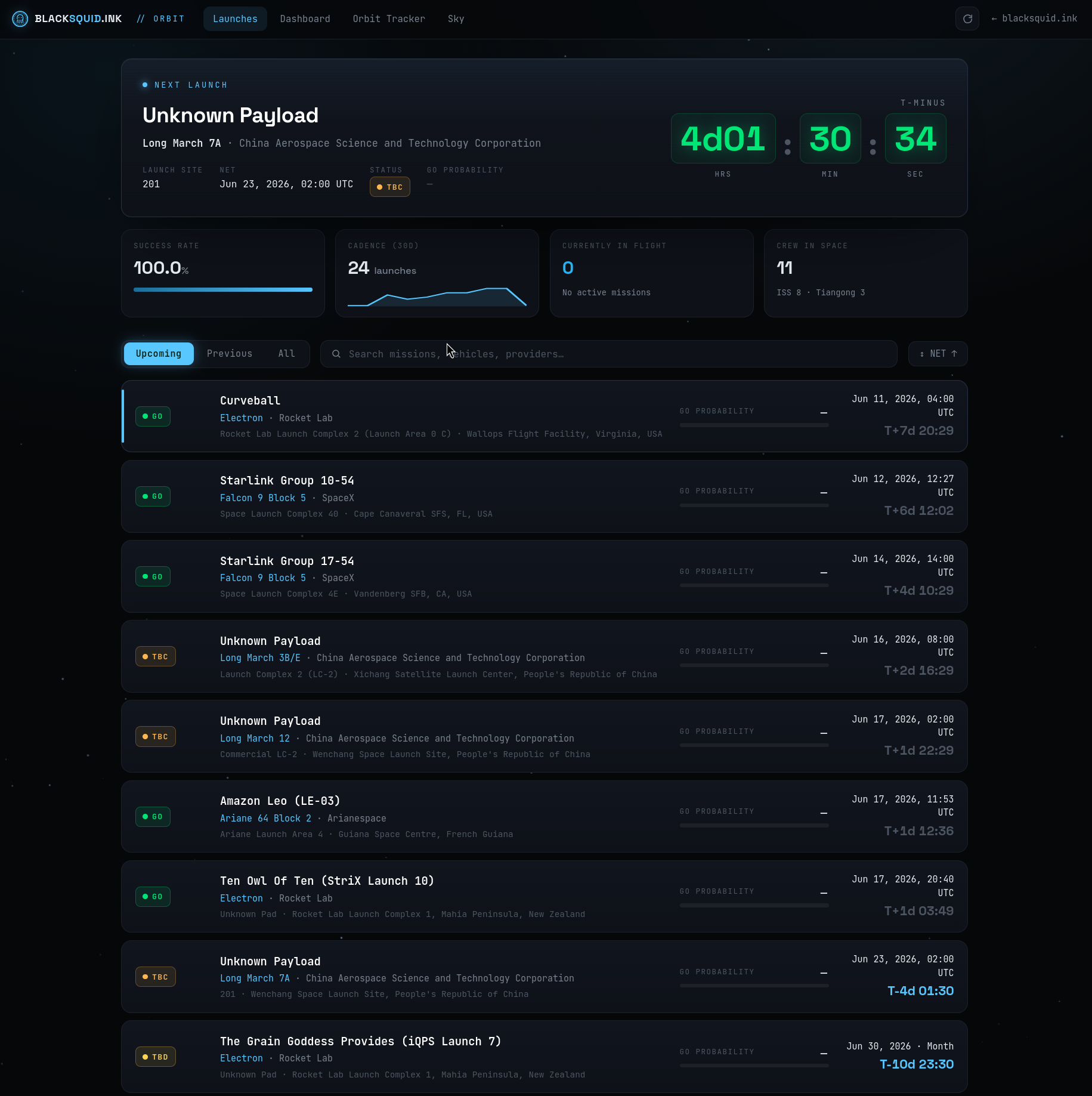
So I threw it out and rebuilt the web version from scratch as a plain HTML, CSS, and JavaScript app. No framework, no build step, no Rust. Just files a browser can read. It’s faster, it actually looks like a website, and — refreshingly — there’s nothing to “compile.” The original terminal app still lives on; the web edition is now its own thing. (The monospace flip-clock countdown above is the one bit of terminal DNA I kept on purpose.)
What’s inside
Orbit is a single-page app with a handful of views you flip between from the top nav — or with keyboard shortcuts, because old habits die hard.
The launch board
The home view (above) is a live countdown to the next launch, a strip of at-a-glance stats — success rate, 30-day cadence, how many people are currently in orbit — and then the full manifest. You can switch between Upcoming / Previous / All, search by mission, vehicle, or provider, and sort the list. Every launch carries its status in the same color language the terminal app used: green GO, amber TBC/TBD, and so on.
Launch detail
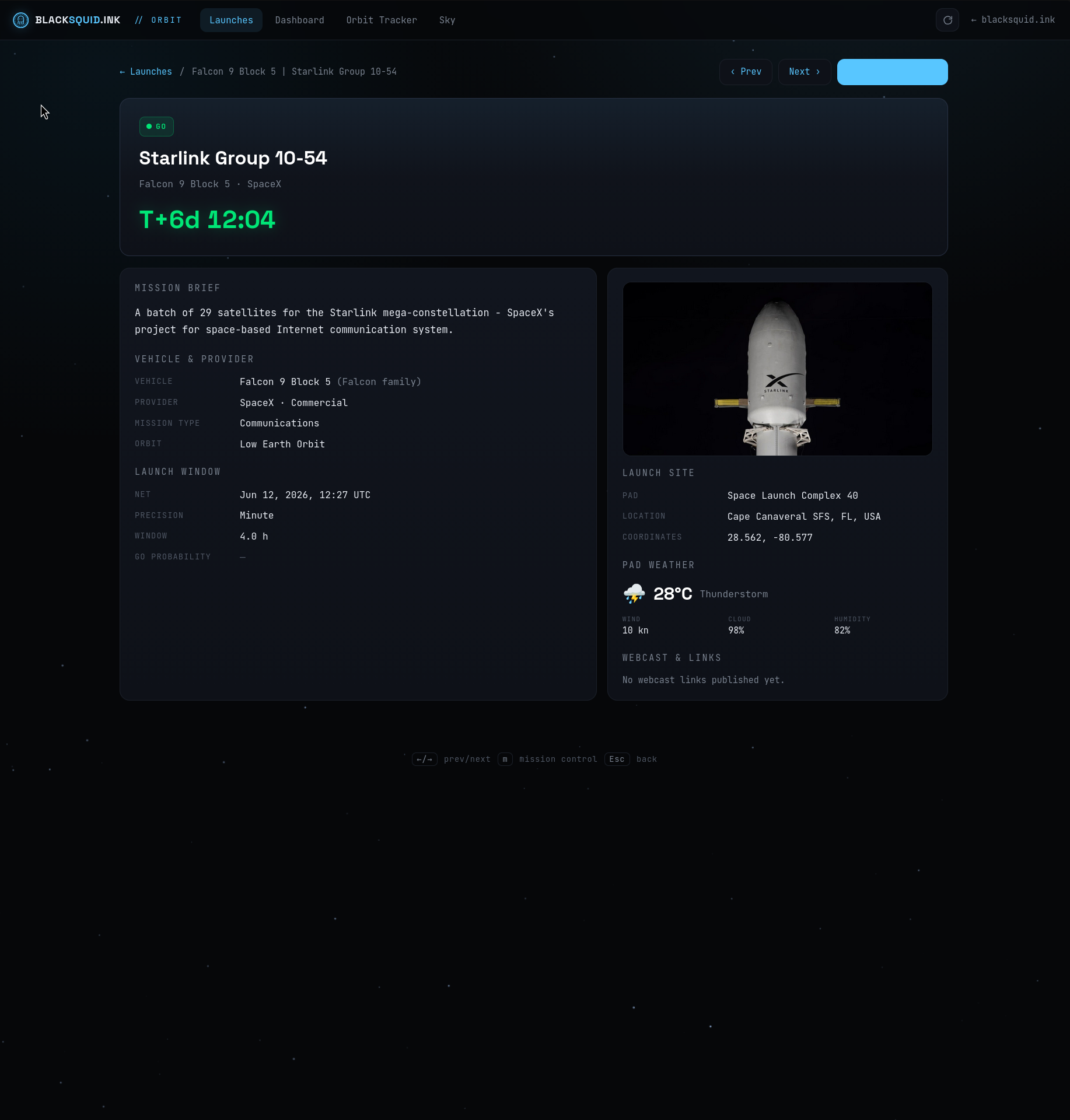
Click any launch and you get the full briefing: mission summary, vehicle and provider, the exact launch window, and the launch site — right down to pad coordinates and live weather at the pad (handy for guessing whether a launch will actually go).
Mission Control
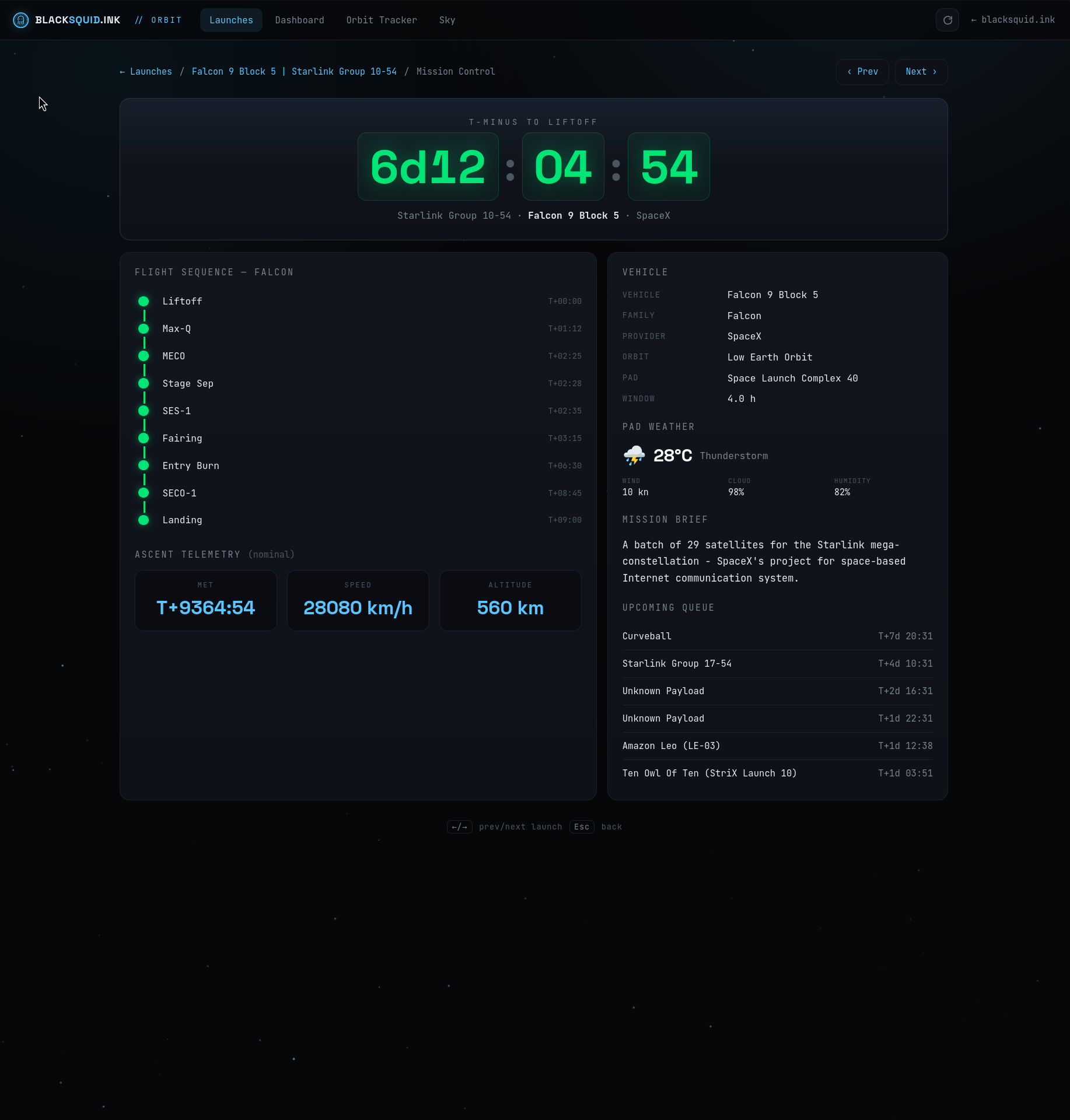
From a launch you can drop into Mission Control: a big block-digit countdown clock, the vehicle’s flight sequence (liftoff, Max-Q, MECO, stage separation, fairing, landing…), an ascent-telemetry readout, and the upcoming queue. It’s the part of the app that most shamelessly leans into the NASA-broadcast aesthetic, and it’s my favorite.
Orbit Tracker
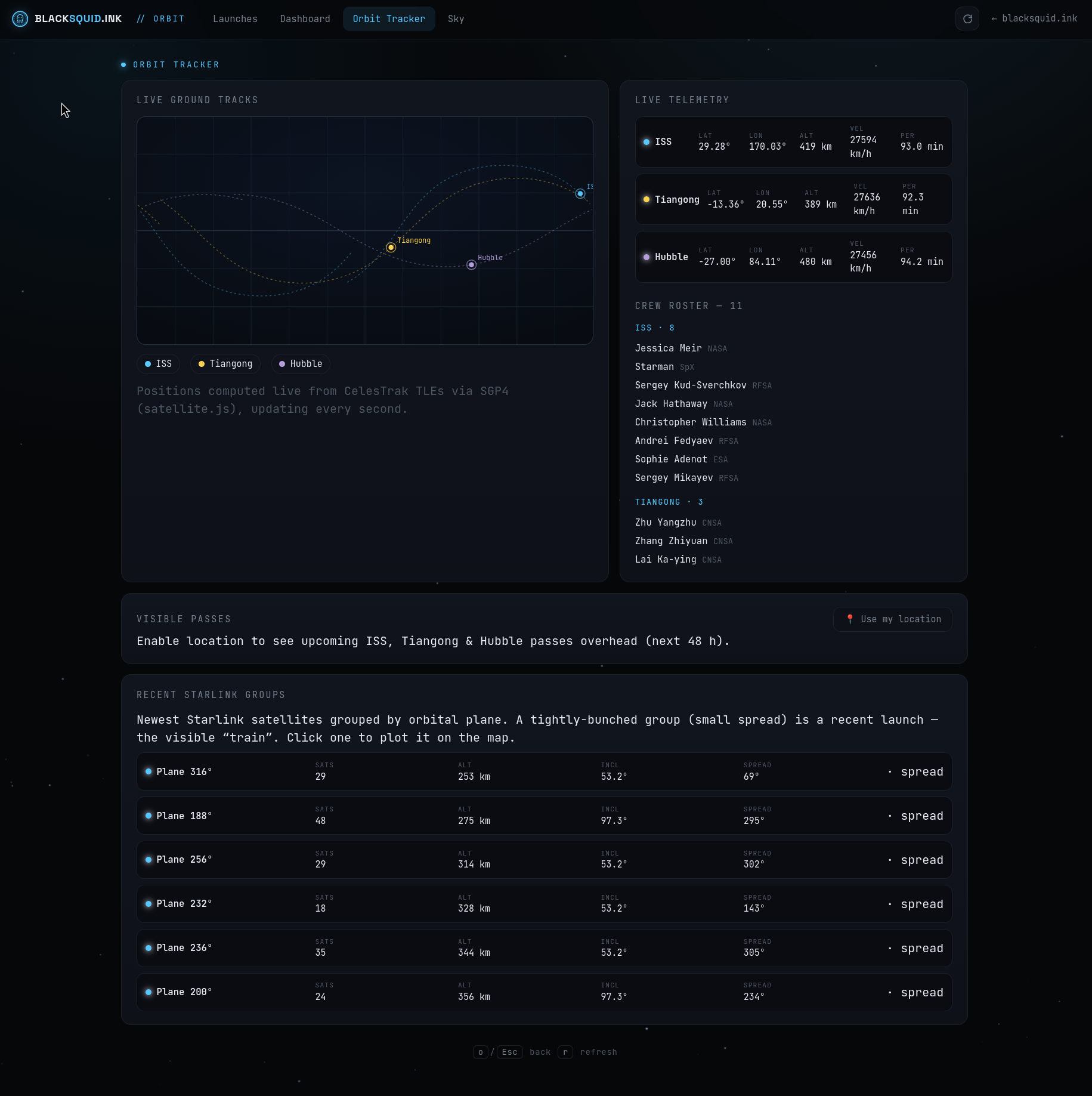
This is the piece I’m proudest of. The Orbit Tracker shows the ISS, China’s Tiangong station, and the Hubble Space Telescope as real, accurate ground tracks on a world map — the sine-wave paths satellites trace as they orbit while the Earth turns underneath them — alongside live telemetry (latitude, longitude, altitude, velocity, orbital period) and the current crew roster.
These aren’t faked. The app pulls each satellite’s current orbital data (its TLE) from CelesTrak and runs the actual SGP4 orbital-propagation model in your browser, updating every second. A couple of bonus features fall out of having a real orbital model on hand:
- Visible passes — allow location access and Orbit predicts when the ISS, Tiangong, or Hubble will be visible from where you’re standing over the next 48 hours.
- Starlink train finder — groups the newest Starlink satellites by orbital plane so you can spot one of those eerie “trains” of dots people see just after a launch, and plot it on the map.
Dashboard
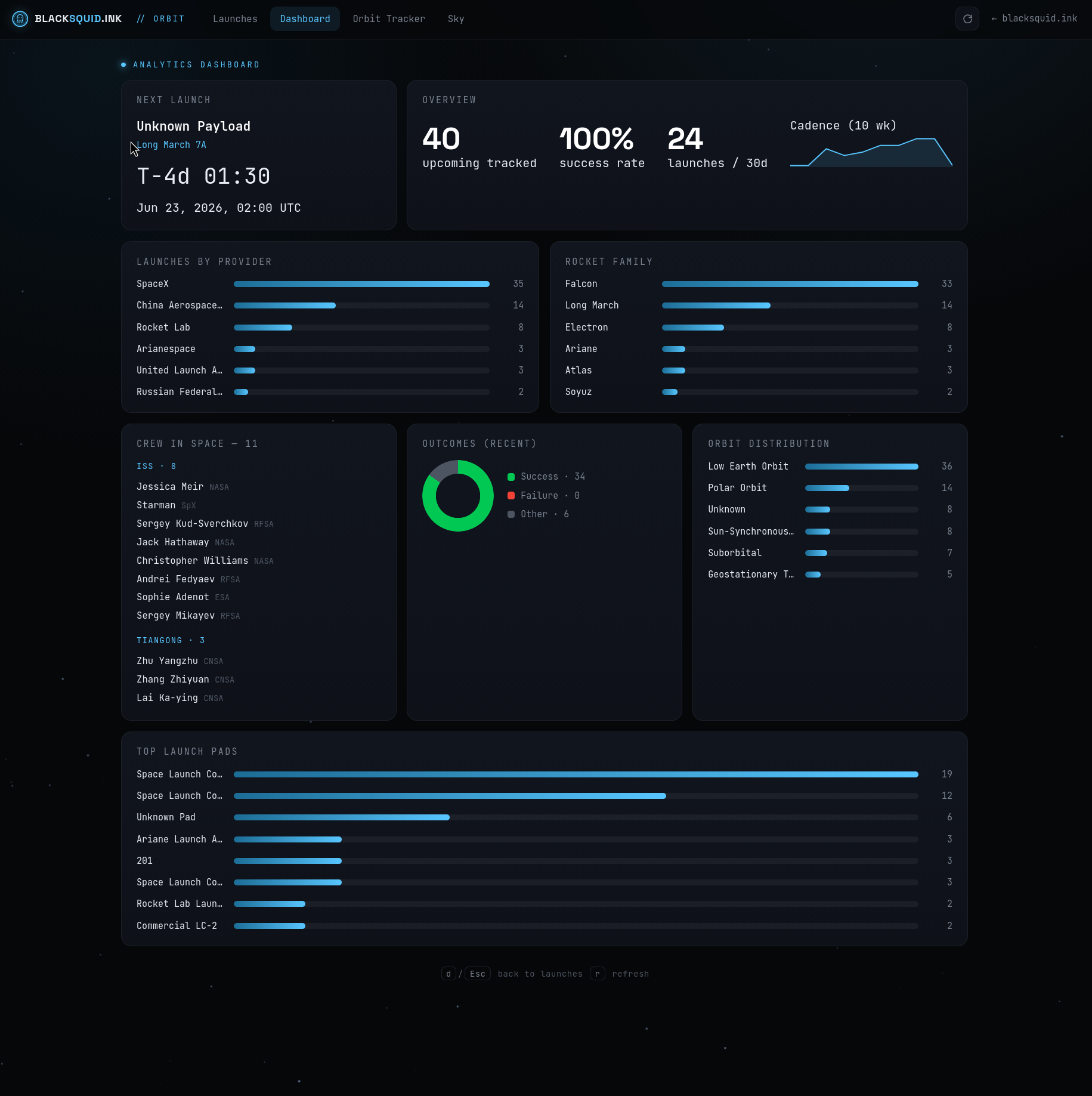
The Dashboard is the analyst’s view: launches broken down by provider and rocket family, orbit-type distribution, a recent-outcomes success/failure donut, the busiest launch pads, and a rolling 10-week launch-cadence chart. It’s a nice way to see the shape of spaceflight right now — for instance, just how much of the manifest is SpaceX and Falcon.
Sky & Telescopes
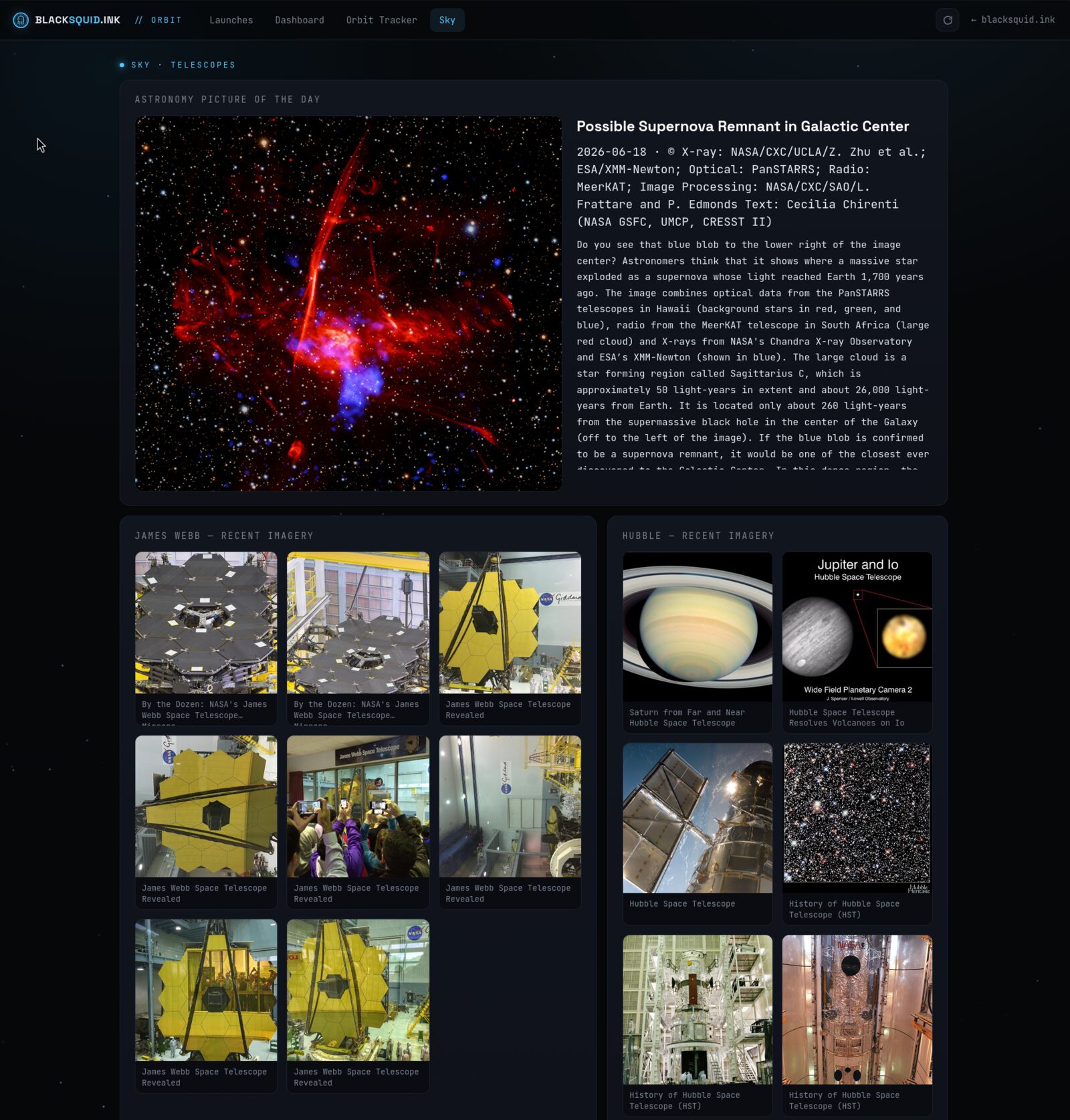
The Sky tab is the relaxing corner of the app: NASA’s Astronomy Picture of the Day with its full write-up, plus recent imagery galleries from the James Webb and Hubble telescopes pulled from NASA’s image library.
Under the hood
The whole thing is deliberately low-tech in the best way:
| Layer | What I used |
|---|---|
| Frontend | Plain HTML + CSS + vanilla JavaScript (no framework, no build) |
| Hosting | Cloudflare Pages — git push and it’s live in about a minute |
| Backend | Cloudflare Pages Functions (small serverless proxies) |
| Cache | Cloudflare KV (key-value store) |
| Orbits | satellite.js running SGP4 in the browser |
Data comes from a small constellation of free APIs: The Space Devs’ Launch Library 2 for launches, wheretheiss.at for the live ISS position, CelesTrak for orbital elements, Open-Meteo for launch-site weather, and NASA for the imagery.
The hard part: staying live when the API says “no”
Here’s the problem that ate the most time. The free launch API limits you to roughly 15 requests per hour from a given IP address. That sounds like plenty — until you realize Cloudflare’s servers share their outbound IP addresses across thousands of sites. So my little space site is effectively competing for that tiny budget with everyone else on the same Cloudflare data center. The result: requests get rejected (HTTP 429, “too many requests”) more or less at random.
The naive version of this site would just show a blank page whenever that happened. Unacceptable for something I want to link from my homepage.
So the backend has a fallback chain. Every time the app asks for data, it tries, in order:
- Fresh cache — if I fetched it recently, serve that instantly.
- Live production API — try for the real, current data.
- Last-known-good cache — if production says no, serve the most recent copy I ever successfully got. It never fully expires.
- Dev mirror — the API also runs a higher-limit test mirror; fall back to that.
- Only if all of that fails does it error.
The upshot: once each piece of data has landed in the cache even once, the site never goes blank again. It serves live data when it can and gracefully degrades to slightly-stale data when the rate limit bites — and you, the visitor, never notice the difference.
Total monthly cost for all of this: $0. Cloudflare’s free tier covers the hosting, the functions, and the cache.
A few keyboard shortcuts
Because it grew out of a terminal app, Orbit is fully keyboard-drivable:
| Key | Action |
|---|---|
j / k | Move down / up the list |
Enter | Open the selected launch |
d / o / m | Jump to Dashboard / Orbit tracker / Mission control |
/ | Search |
Esc | Back out |
Go look at it
That’s Orbit. It’s live right now at orbit.blacksquid.ink — go watch the ISS trace a line across the planet, check what’s launching next, or just sit on the Sky tab and look at the universe for a minute.
More features are on the way. If you spot a satellite I should be tracking, let me know.