Building a Niri Desktop on Fedora 44
A scrollable-tiling Wayland setup with niri, waybar, fuzzel, and mako — Tokyo Night all the way down.
I switched my Fedora 44 desktop over to niri, a scrollable-tiling Wayland compositor. Instead of cramming windows into a fixed grid, niri lays them out in an infinite horizontal strip — columns scroll off the sides of the screen and you pan along them. It clicks immediately if you’ve ever wished your tiling WM just let windows be their natural size.
Here’s the full stack and how the pieces fit together.
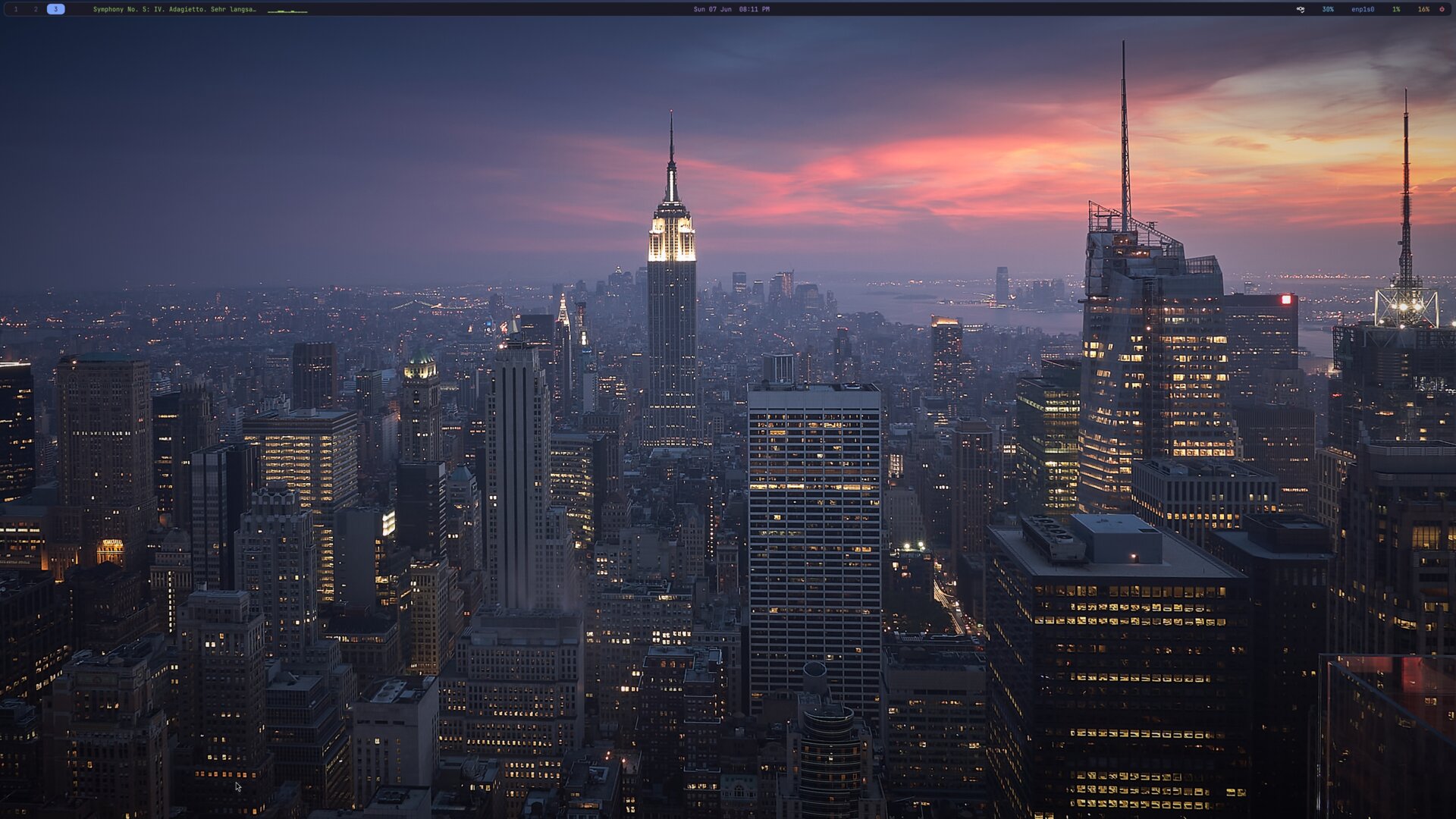
The stack
| Piece | Job |
|---|---|
| niri | Compositor / window manager |
| waybar | Top bar (workspaces, clock, system stats, audio visualizer) |
| fuzzel | App launcher + dmenu backend for my scripts |
| mako | Notification daemon |
| swww | Wallpaper daemon (with transitions) |
| swaylock | Screen locker |
| ghostty | Terminal |
| yazi | File manager (runs in ghostty) |
Everything is themed Tokyo Night, and everything uses JetBrainsMono Nerd Font so the glyphs in the bar and menus render correctly.
The display
I’m on a single Vizio V405-G9 4K panel over HDMI. niri keys output config by connector name, so:
output "HDMI-A-1" {
    mode "3840x2160"
    scale 1.25
    transform "normal"
    position x=0 y=0
}
The 1.25 scale matches what GNOME was doing — crisp 4K without everything being microscopic. niri auto-picks the highest refresh rate for the resolution unless you pin one with @<rate>.
Layout & looks
The layout section is where niri’s personality lives:
layout {
    gaps 20
    center-focused-column "never"
    preset-column-widths {
        proportion 0.33333
        proportion 0.5
        proportion 0.66667
    }
    default-column-width { proportion 0.5; }
}
New windows open at half the screen width, and Mod+R cycles a column through ⅓ → ½ → ⅔.
For chrome I went with a gradient focus ring instead of a hard border, plus soft drop shadows and rounded corners:
focus-ring {
    width 2
    active-color "#7aa2f7"
    active-gradient from="#7aa2f7" to="#bb9af7" angle=45 relative-to="workspace-view"
    inactive-color "#3b4261"
}

shadow {
    on
    softness 30
    spread 5
    offset x=0 y=5
    color "#0007"
}
One gotcha worth calling out — a window rule ties it all together:
window-rule {
    geometry-corner-radius 10
    clip-to-geometry true
    draw-border-with-background false
}
That draw-border-with-background false matters: without it, niri draws the focus ring as a solid rectangle behind the window, and the color bleeds through semitransparent terminals (ghostty especially) and washes them out. Drawing the ring around the window fixes it, and clip-to-geometry makes the rounded corners actually clip content.
Startup
niri spawns the supporting cast at launch:
spawn-at-startup "waybar"
spawn-at-startup "mako"
spawn-at-startup "~/.config/niri/set-wallpaper"
I also nudge toolkits toward native Wayland via the environment block (Qt, Firefox/MOZ_ENABLE_WAYLAND, Electron’s Ozone hint), and drop server-side decorations where I can.
Keybinds
niri’s Mod is Super on a real TTY. The binds I actually use day to day:
| Bind | Action |
|---|---|
Mod+T | Terminal (ghostty) |
Mod+D | Launcher (fuzzel) |
Mod+E | File manager (yazi in ghostty) |
Mod+Q | Close window |
Mod+H/J/K/L | Focus left/down/up/right |
Mod+Ctrl+H/J/K/L | Move window |
Mod+R | Cycle column width |
Mod+F | Maximize column |
Mod+M | Maximize to screen edges |
Mod+C | Center column |
Mod+V | Toggle floating |
Mod+W | Toggle tabbed column |
Mod+O | Overview (zoomed-out workspaces) |
Mod+1..9 | Jump to workspace |
Mod+Shift+W | Wallpaper picker |
Mod+Shift+E | Power menu |
Super+Alt+L | Lock (swaylock) |
Print | Screenshot |
Media, volume, and brightness keys are wired to wpctl, playerctl, and brightnessctl, all with allow-when-locked=true so they work on the lock screen.
The bar
Waybar is split three ways:
- Left: workspaces, focused-window title, MPRIS now-playing, and a live audio visualizer
- Center: clock with a calendar tooltip
- Right: tray, volume, network, CPU, memory, and a power button
The whole bar is a single rounded, translucent pill — the trick is styling the inner box rather than the window so GTK clips the corners cleanly:
window#waybar { background: transparent; }
window#waybar > box {
    background: #1a1b26;
    border: 1px solid #3b4261;
    border-radius: 10px;
}
The cava visualizer
Fedora’s waybar build doesn’t ship the built-in cava module, so I feed a custom/cava module from a script. It runs cava in raw ASCII mode and maps each 0–7 level to a block glyph (▁▂▃▄▅▆▇█):
chars=("▁" "▂" "▃" "▄" "▅" "▆" "▇" "█")
cava -p "$conf" | while IFS= read -r line; do
    # ...map each value to a glyph, emit a blank line when silent
done
The blank-line-on-silence bit means the bars only appear while audio is actually playing — no idle clutter.
Helper scripts
I leaned on a few small bash scripts in ~/.config/niri/ rather than stuffing logic into config:
set-wallpaper — the single source of truth for the background. It points a stable symlink (~/.config/niri/wallpaper) at the real image and applies it through swww with a grow transition. Run it bare to re-apply, or with a path to switch:
set-wallpaper ~/Pictures/new.jpgIt also handles the annoying details: swww lives in ~/.cargo/bin (not always on the session PATH), it waits for the daemon’s socket before issuing commands, and it kills any leftover swaybg from the old setup.
wallpaper-picker (Mod+Shift+W) — globs images from the usual wallpaper dirs, shows them in fuzzel, and hands the choice to set-wallpaper.
power-menu (Mod+Shift+E + the waybar power button) — a fuzzel dmenu for Lock / Logout / Suspend / Reboot / Shutdown, backed by swaylock and systemctl.
Notifications
Mako rounds it out, matching the same palette — translucent #1a1b26 background, blue border, with red high-urgency notifications that never auto-dismiss:
border-radius=10
background-color=#1a1b26f0
border-color=#7aa2f7

[urgency=high]
border-color=#f7768e
text-color=#f7768e
default-timeout=0
Verifying changes
One handy thing about niri: it validates your config without a restart.
niri validateIt reloads the config live on save, so most tweaks are instant — but niri validate catches syntax errors before they bite.
That’s the whole desktop: a scrollable-tiling compositor, one cohesive Tokyo Night theme, and a handful of small scripts doing the unglamorous work. The config files are about as boring-on-purpose as I could make them, which is exactly what I want from something I stare at all day.